SQL Endpoints are a great idea, but one thing I found very frustrating was the lag.
SQL Endpoints are a great idea, but one thing I found very frustrating was the lag.
SQL Endpoints are a great idea, but one thing I found very frustrating was the lag.
And updated. So what is going on? And the fix for them!
So the SQL endpoint sits over the Lakehouse, Data Warehouse, Mirrored Database etc delta tables.There is a background process (which seems to be on a random timer) that kicks off and updates the metadata from the OneLake delta query logs. It is this update that is the issue.
You may have seen it being a bit slow to update, I have, when one developer is querying the endpoint and the other is running a notebook, you can get different results. One is hitting the abstraction, the other actually hitting the delta table. You could hit the API to fire off a refresh, but that is hassle, so now you have now you have two options that don’t involve the API workaround.
Workspace Option
Oh a new option! If you have a look in the workspace settings, under the Data Warehouse options you’ll see ‘New metadata sync (preview)’, so click that to on, and you’ll get faster refreshing changes.
Two issues. The first why is this an option? Why can’t we just have faster refreshes? Why would I want a slower update? It may hit the CU a little bit but from what I can understand it shouldn’t have a real impact. Could this not be rolled out out as standard?
The second issue is, why name it ‘New metadata sync (preview)’, just name it ‘Metadata sync (preview)’, some dev is going to have to change it to that at some point, sure they will have to removed the ‘(preview)’ bit at the same time, but it sounds nicer. Are MS using wash powder naming now to get ‘New and improved results’?
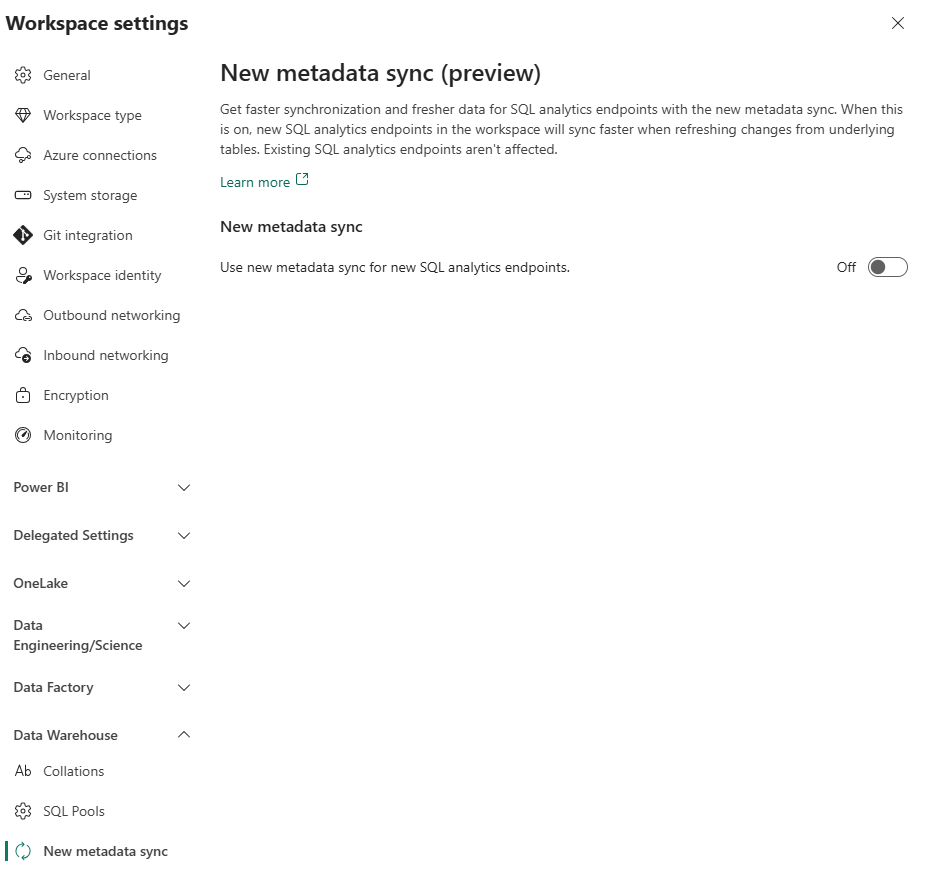
So tick that box and let the synchronisation begin.
Pipeline Task
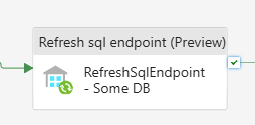
The other option is now a data pipeline task called ‘Refresh sql endpoint (Preview)’. You can add this to your pipeline before a query/notebook/whatever uses that endpoint.
One thing to note, you have to create a connection, and the connection must use and org account as MS seems to hate you using Service Principals.
This task is specific to one defined endpoint not all of them like the workspace option. There is an option to recreate all tables, which will force it to do all the tables, not just tables that have the latest changes in the delta logs so that may increase the time it takes to run this task if that option is selected.
It does the same thing, but this task will use a default level of CU’s every time you hit it of ~0.0056 CU hours per run or more if it take a while. This should be used if you are not using the ‘New metadata sync’ option. So use it when you are calling an endpoint in a workspace you can’t access the settings.
One issue is….come on MS keep it consistent in naming. Should it not be called ‘New refresh sql endpoint (preview)’
Roundup
These seem to work quite well, and haven’t encountered a big delay, there still seem to be a little bit of lag, but it is reduced.
These seem to work quite well, and haven’t encountered a big delay, there still seem to be a little bit of lag, but it is reduced.
Damn it!

