You know you can have more that one capacity? Most of the clients I’ve interacted with, even since the Power BI capacity days, they have just purchased one big old capacity, and assigned it to every workspace they needed. There have been a few clients that have had multi-region capacities, spun up across the globe for thing likes, billing to specific cost centres and regions and data ownership and sovereignty issues, but for those that don’t have those issue, they just get a big capacity.
For most large organisations, the F64 capacity does give you some extra benefits. The biggest benefit is the ability to set Power BI Free licensed users as viewer roles, to allow them to consume content from workspace app, workspaces and reports created by Pro and PPU users. But items like Co-Pilot can now be used at lower capacity settings.
So why would you need multiple capacities? One important reason, quality of service for your production environment(s).
Production
So what do you want out of your production environment? It should be reliable, dependable and accessible, so your workloads are nicely processing away.
For the most part it should be a known timing of workloads. For example, you know when pipelines are expected to start/end and should have a idea of the data volumes coming in and getting processed. You’ll have unknown/variable timing of workloads, in terms of users accessing reports, running ad-hoc queries etc, but for the most part your capacity should handle those.
Development & Test
Unlike production, you’ll have variable/unpredictable workloads happening. Full reloads, more interactive notebooks, and timings of stuff all over the place for data loads, pipelines and ad-hoc queries.
One Size Fits Not All
I will argue that Dev/Test/Prod workspaces should not look like this, all assigned to the same capacity.
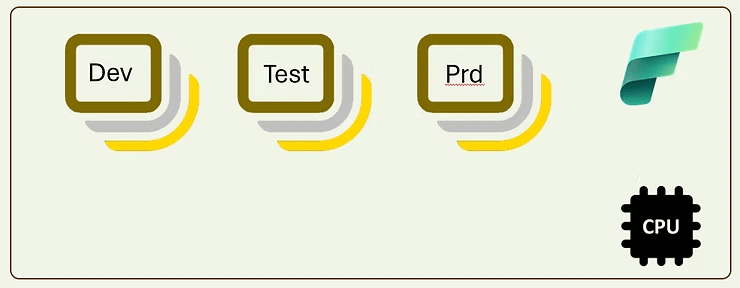
The capacity is a known amount of memory, compute and storage, so you’ll know how many spark sessions/clusters you can have running, however you are going to get ‘noisy neighbour’ issues with workspaces out side of production or critical workspaces. You’ll get spikey workloads, maybe the capacity will have pressure on memory for direct lake queries, or can’t start spark sessions, so you should separate these out. Remember Production should be reliable, and reduce noise in the data platform, in terms of processing and the organisation complaining. Reliability builds trust in you platform, that is self is priceless.
Tailor Your Capacity, Like A Nice Suit

Ok, so now we have a dedicated capacity for Dev and Test, and a nice stable environment for Prod or other important workloads. Your Dev team can go crazy (Or crazier) without worrying that the it is affecting the precious workloads and resources in Prod.
Don’t forget, you can scale capacities up and down. So if you need some more resource, maybe bring the test environment into parity with Prod, sure scale up, then back down. You can also pause/resume capacities, and save some money. There is a great script that allows to to set an Azure run book to do this https://github.com/bsherwin/FabricCapacityManagement
Recommendations
If you haven’t started your Fabric journey yet, try to figure out how much capacity you need.
- If you need F64 for the Power BI Free users to become readers, £4000 per month is about 370 Power BI users, if you don’t have that many maybe a smaller capacity is for you.
- Start small then scale up – Entry point for most multi-user teams is about F8. F2/4 are for playing about with for single users
- Other costs – Some items will be billable, pipeline tasks, spark sessions, so paying for a capacity doesn’t mean everything running in it is free
One last comment: Pay as you go (PAYG) or reserved? You can save money by paying for reserved capacity, but it is always on and for an F64 is 41% cheaper than PAYG. But if you do not need items to be on outside business hours or weekends, you can pause it, and make the same or more savings. You can mix it, Prod gets a reserved capacity and PAYG for Dev/Test.
 IT Consultant on the edge